Best overall for media leaving service: verified physical destruction. Best for encrypted devices you intend to reuse: cryptographic erase. Best for reusable magnetic hard drives: verified overwriting. This guide compares data destruction methods for businesses in 2026 by media compatibility, verification, and whether you need to preserve the equipment.
- Choose data destruction methods for businesses by storage type, reuse plans, and evidence requirements.
- Physical destruction suits retired media; cryptographic erase preserves eligible encrypted devices for reuse.
- Overwriting suits accessible magnetic hard drives; degaussing does not sanitize SSDs.
- Techrecyclingsolutions provides certified data destruction services for Greater Boston businesses.
Why this matters
A drive that no longer boots can still contain readable data. Deleting files, emptying the recycle bin, or performing a quick format does not establish that the underlying information is unrecoverable.
Your 2026 disposal plan needs to distinguish between destroying data and destroying equipment. Reusable equipment calls for a different decision than damaged storage headed for recycling, and neither route is complete without verification and records.
Techrecyclingsolutions is a fit for Greater Boston businesses seeking certified data destruction services. Its stated services also include IT asset disposition and electronics recycling, with RIOS certification. Select the required destruction method separately from the provider's broader recycling credentials.
What makes the best business data destruction method?
Judge each method against these criteria before choosing a service or approving an internal procedure:
- Media compatibility: The method must address the actual storage technology, not just the device enclosure.
- Reuse requirements: Decide whether the storage device must remain usable after sanitization.
- Data coverage: Include inaccessible areas, remapped storage, and encryption keys where applicable.
- Verification: Define what constitutes success and how failures will be handled.
- Custody and evidence: Track the asset from collection through its documented outcome.
The best method is the one that meets your data-handling requirements on that specific medium and produces evidence you can review. A recognizable method name alone is not proof of a successful result.
Data destruction methods at a glance
| Method | Best for | Standout feature | Key limitation |
|---|---|---|---|
| Physical destruction | Retired or failed media with no reuse requirement | Makes storage components physically unusable when correctly executed | Eliminates storage reuse; the destruction specification matters |
| Cryptographic erase | Eligible encrypted devices intended for reuse | Sanitizes access by destroying the necessary encryption keys | Depends on encryption coverage and complete key handling |
| Verified overwriting | Healthy magnetic hard drives intended for reuse | Replaces data in accessible storage locations | Does not reliably address every inaccessible area or SSD storage behavior |
| Device-supported block erase | Supported SSDs without a suitable cryptographic erase route | Uses a device-supported erase operation rather than ordinary file writes | Requires supported commands, correct implementation, and verification |
| Degaussing | Magnetic media selected for a dedicated destruction workflow | Applies a magnetic field to disrupt recorded information | Does not sanitize flash storage and can make hard drives unusable |
1. Physical destruction: best for retired or failed media
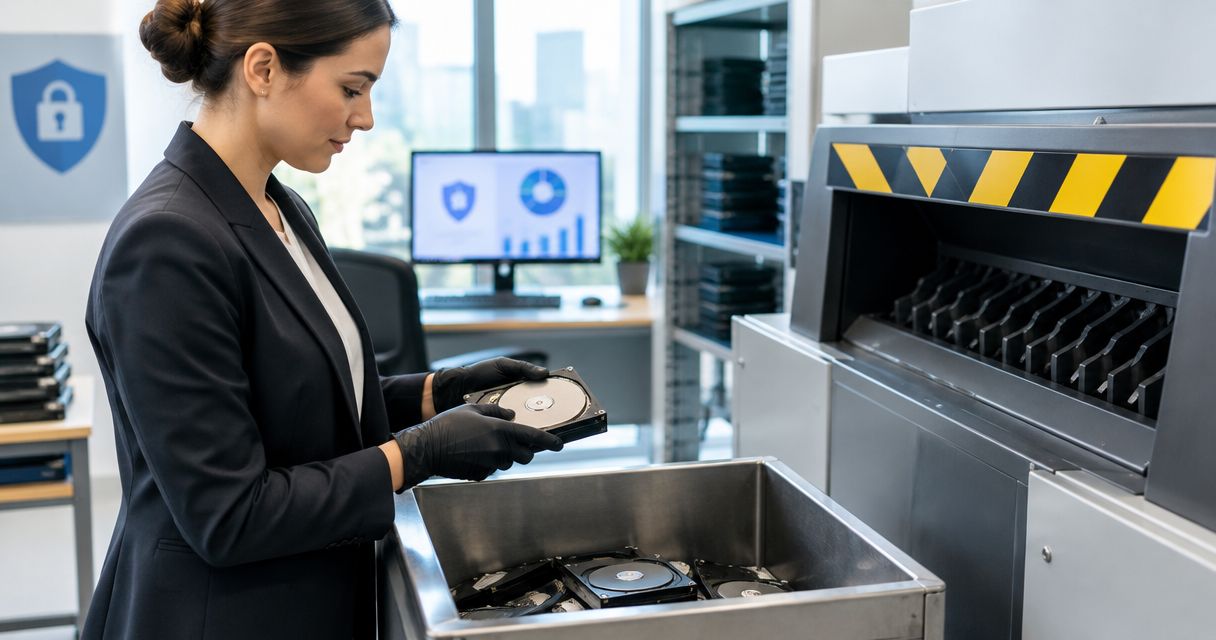
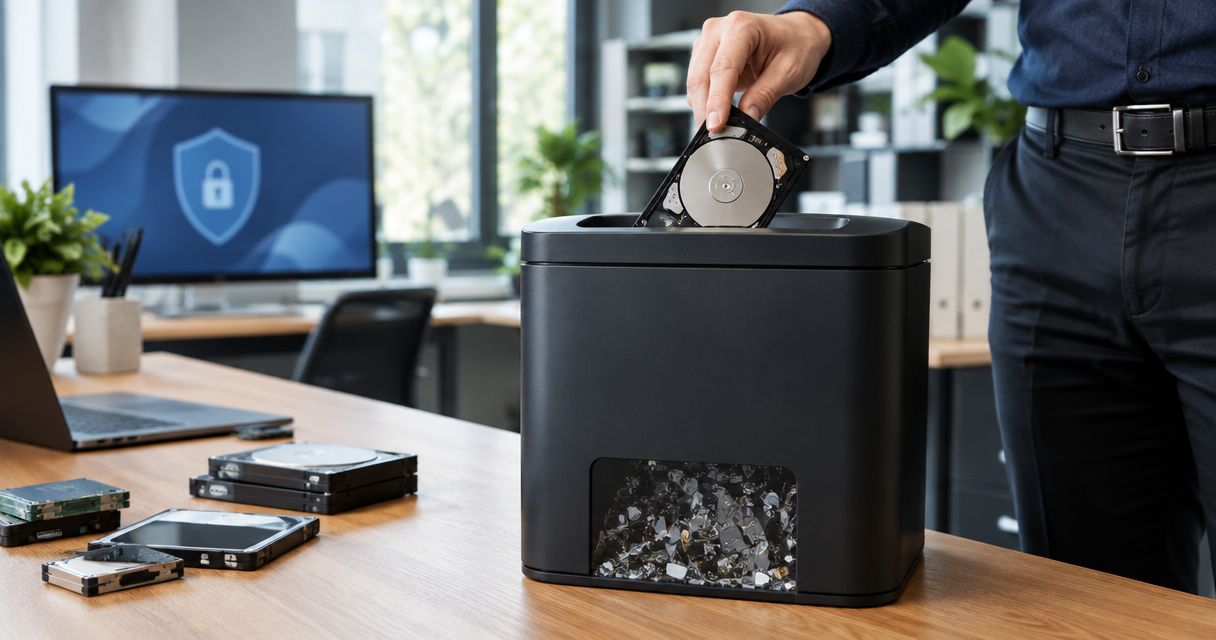
Physical destruction damages the storage components so the media cannot be used normally. Suitable processes include shredding, disintegration, or other specified destruction techniques matched to the medium and your security requirements.
Best for: Businesses disposing of failed drives, damaged devices, or storage that will not return to service.
Physical destruction is the default recommendation when reuse is unnecessary and a suitable destruction process is available. But bending an enclosure or drilling a casual hole is not equivalent to a controlled process: storage-bearing components can remain intact.
Physical destruction pros:
- Addresses media that cannot complete a software-based operation.
- Removes the need to preserve a working storage device.
- Supports an observable destruction step within a custody-controlled workflow.
Physical destruction cons:
- Prevents reuse of the destroyed storage components.
- Requires equipment and output specifications appropriate to the medium.
For your 2026 destruction specification, identify whether the load contains magnetic platters, flash chips, or both. A process suitable for hard drives is not automatically suitable for SSDs; the resulting fragments must meet the applicable requirement.
Ask how failed destruction attempts and intact components are identified. Also establish how the destruction outcome will be matched to your asset inventory before equipment changes hands.
Verdict: Buy a documented physical destruction service for retired media when reuse has no business purpose.
2. Cryptographic erase: best for eligible encrypted devices
Cryptographic erase renders encrypted data inaccessible by sanitizing the encryption keys needed to decrypt it. It preserves the storage hardware, making it a useful route when equipment will be redeployed, transferred, or otherwise reused.
Best for: Devices with suitable encryption in place before sensitive data was stored and a supported, verifiable key-sanitization procedure.
This method depends on the encryption implementation and key lifecycle. If sensitive data existed outside encryption coverage, or usable keys remain elsewhere, deleting a local key does not resolve those exposures.
Cryptographic erase pros:
- Preserves the device for reuse.
- Avoids rewriting every accessible data location as the sanitization mechanism.
- Fits supported encrypted storage when the encryption and key-management conditions are satisfied.
Cryptographic erase cons:
- Requires confidence in encryption coverage and implementation.
- Can fail its purpose if usable keys or recovery material remain accessible.
Before approving cryptographic erase, establish when encryption began, which storage areas it covered, and where recovery keys or key copies exist. Check the device documentation rather than assuming every encrypted drive supports the same operation.
Turning encryption on immediately before disposal is not a substitute for evaluating previously stored data. Likewise, removing a device from an account or deleting an administrator password does not establish that cryptographic erase occurred.
Verdict: Buy cryptographic erase for eligible encrypted devices only after confirming coverage, key handling, and verification.
3. Verified overwriting: best for reusable magnetic hard drives
Overwriting replaces data in accessible storage locations with new values. On a healthy magnetic hard drive, an appropriately executed and verified overwrite can support continued use without physically destroying the device.
Best for: Working magnetic hard drives where the required sanitization outcome can be achieved through an approved overwrite procedure.
Do not transfer this recommendation to SSDs. Flash controllers distribute writes across storage cells, and ordinary overwrite operations do not guarantee that every location containing earlier data has been addressed.
Verified overwriting pros:
- Preserves working magnetic drives for reuse.
- Provides a software-based route for accessible storage.
- Can produce completion and verification records when the chosen tool supports them.
Verified overwriting cons:
- Cannot reliably resolve unreadable or otherwise inaccessible storage areas.
- Requires the drive to remain operational throughout the procedure.
For a 2026 hard-drive reuse workflow, define how the tool reports errors and how the result is checked. A completed progress bar is not enough if the record also contains skipped regions or read failures.
Do not select a procedure solely because it advertises more overwrite passes. Match the process to the medium, the required assurance level, and the applicable guidance. Route drives that fail verification to a different approved treatment instead of recording them as successfully sanitized.
Verdict: Buy verified overwriting for suitable magnetic hard drives; skip ordinary overwriting as your default SSD method.
4. Device-supported block erase: best for supported SSD reuse
Device-supported block erase uses an operation implemented by the storage device to erase its storage blocks. It differs from deleting files or repeatedly writing data through the operating system.
Best for: Supported SSDs intended for reuse when a suitable cryptographic erase route is unavailable or inappropriate.
The command, interface, and device implementation matter. A utility displaying an erase option does not establish that the operation reaches every relevant storage area or satisfies your organization's sanitization requirements.
Device-supported block erase pros:
- Offers a reuse-preserving route for supported flash storage.
- Uses storage-device functionality rather than ordinary file operations.
- Provides an alternative when cryptographic erase conditions are not met.
Device-supported block erase cons:
- Depends on device support and correct implementation.
- Requires interpretation of completion status and an appropriate validation process.
Before authorizing the operation, identify the exact device and supported sanitization command. Confirm that the connection allows the required command to reach the device; an enclosure or adapter can affect command access.
Treat an interrupted or unsupported operation as unresolved. If the SSD cannot complete an acceptable sanitization procedure, change the disposition route rather than trying unrelated erase commands until something appears to finish.
Verdict: Buy device-supported block erase for compatible SSDs only with a defined verification and failure-handling procedure.
5. Degaussing: best for dedicated magnetic-media workflows
Degaussing applies a magnetic field to disrupt information recorded on magnetic media. It is relevant to magnetic storage, including suitable hard drives and magnetic tape, rather than flash-based storage.
Best for: Businesses processing magnetic media through a controlled workflow with appropriately rated degaussing equipment.
Degaussing is not a general-purpose electronics sanitization method. SSDs, USB flash drives, and flash memory cards do not store data magnetically, so exposing them to a degausser does not sanitize their flash chips.
Degaussing pros:
- Provides a specialized treatment for compatible magnetic media.
- Does not depend on accessing files through the operating system.
- Can fit a documented destruction workflow for magnetic storage.
Degaussing cons:
- Does not address flash storage.
- Can destroy information needed for a hard drive to operate, preventing reuse.
In a mixed-media collection, separate magnetic storage from flash before selecting degaussing. Do not assume that every device described as a drive contains magnetic platters; hybrid devices also require attention to their flash components.
Check that the equipment is suitable for the media being processed and that the procedure defines the required evidence. The presence of a degausser at a facility is not, by itself, proof that your assets received an appropriate treatment.
Verdict: Buy degaussing only for a defined magnetic-media workflow; skip it for SSDs and other flash storage.
Turn the method into a controlled disposal process
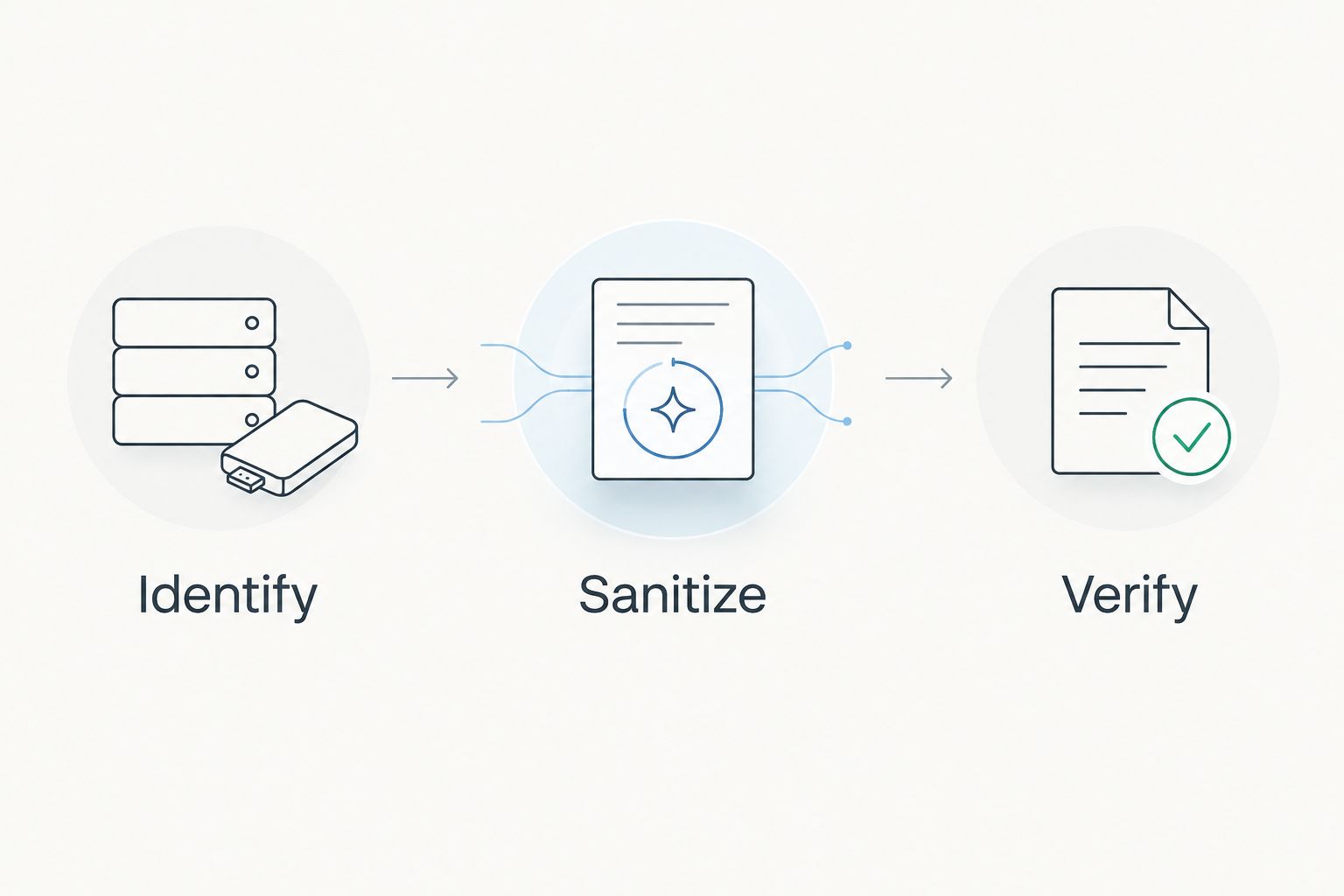
Your 2026 procedure needs 3 checkpoints: Identify, Sanitize, and Verify. Keep the process attached to the asset inventory rather than treating sanitization as an isolated technical task.
- Identify: Record the asset, determine its storage technology, and decide whether reuse is required. Include removable media and embedded storage rather than assuming the main drive is the only data location.
- Sanitize: Apply the approved method through a controlled internal process or service provider. Record exceptions immediately, including damaged devices, unsupported commands, and interrupted operations.
- Verify: Review the outcome against your acceptance criteria. Reconcile the result to the inventory and resolve exceptions before closing the disposal record.
Maintain 1 final disposition record per asset, or an unambiguous asset-level entry within a consolidated record. Keep the method, result, and responsible party connected to the identifier used at collection.
Keep 2 decisions separate: the technical treatment and the custody arrangements. A suitable method does not resolve an unexplained handoff, and a signed collection receipt does not prove successful sanitization.
For Techrecyclingsolutions data destruction services, request the proposed method, verification approach, and documentation for your actual media. Its RIOS certification is a stated recycling credential; evaluate the destruction procedure against your data requirements separately.
Review your data destruction requirements
Explore certified data destruction, IT asset disposition, and electronics recycling for Greater Boston businesses.
How the methods are ranked
This ranking prioritizes media compatibility, reuse requirements, data coverage, verification, and custody evidence. Physical destruction takes the default slot for retired media because preserving the storage device is no longer a requirement.
The remaining methods occupy distinct decision branches, not progressively weaker positions. Cryptographic erase addresses eligible encrypted equipment; overwriting addresses suitable magnetic drives; block erase addresses supported SSDs; degaussing addresses dedicated magnetic-media treatment.
NIST's media sanitization guidance distinguishes clearing, purging, and destruction. Those are sanitization outcomes and categories, not interchangeable labels for every technique listed here. For a 2026 procedure, check the current guidance and your applicable obligations before approving a method.
Which data destruction method should you choose?
Start with whether the storage must survive. Choose verified physical destruction for retired or failed media when reuse is unnecessary. For reusable equipment, select a supported sanitization process based on storage technology and the required assurance level.
Do not approve an entire mixed collection under a single method without checking its contents. A batch containing magnetic drives, SSDs, and removable flash storage requires media-aware decisions, even when everything came from the same office.
Techrecyclingsolutions combines certified data destruction, IT asset disposition, and electronics recycling services for Greater Boston businesses. Ask for a scope that identifies which assets require sanitization, which require destruction, and what records close each item.
FAQ
What's the best data destruction method for a business?
Verified physical destruction is the default recommendation for retired media that does not need to remain usable. For reusable devices, choose a supported sanitization method based on storage technology, encryption conditions, and your required assurance level.
Is shredding better than wiping a hard drive?
Shredding is better suited to media that will not be reused; verified wiping can preserve a suitable magnetic hard drive. The decision depends on whether reuse is required and whether the selected process meets your sanitization requirements.
Can I securely overwrite an SSD?
Ordinary overwriting is not a reliable default sanitization method for SSDs. Flash storage behavior can leave earlier data outside the locations reached by normal writes, so evaluate a supported sanitization command or physical destruction.
Does degaussing erase SSDs?
No, degaussing does not sanitize SSD flash storage. Degaussing acts on magnetic recording, while SSDs store information electronically in flash memory.
Is factory reset enough before recycling business computers?
A factory reset alone does not establish that business data has been adequately sanitized. Determine what the reset actually does on that device, then verify that the procedure meets your disposal requirements.
What should I check on a certificate of destruction?
Check that the document can be reconciled to your assets and identifies the treatment and outcome. Resolve unexplained omissions or failed items rather than assuming a certificate covers everything collected.
Does cryptographic erase work if recovery keys still exist?
Cryptographic erase is not sufficient if remaining usable keys still permit access to the encrypted data. Evaluate recovery material, key copies, and encryption coverage before accepting the result.
One last thing
A sanitized laptop does not mean the information it once held is gone everywhere. Backups, synchronized folders, exported files, and other copies remain separate data-handling responsibilities.
Before closing your 2026 disposal project, reconcile the physical asset records and confirm which retained copies remain subject to your retention policy. Destroying a device and managing the full lifecycle of its data are separate jobs.